<img height="1" width="1" style="display:none;" alt="" src="https://px.ads.linkedin.com/collect/?pid=2969948&amp;fmt=gif">

WHY RED ROVER

The Modern HCM Platform Built for K-12

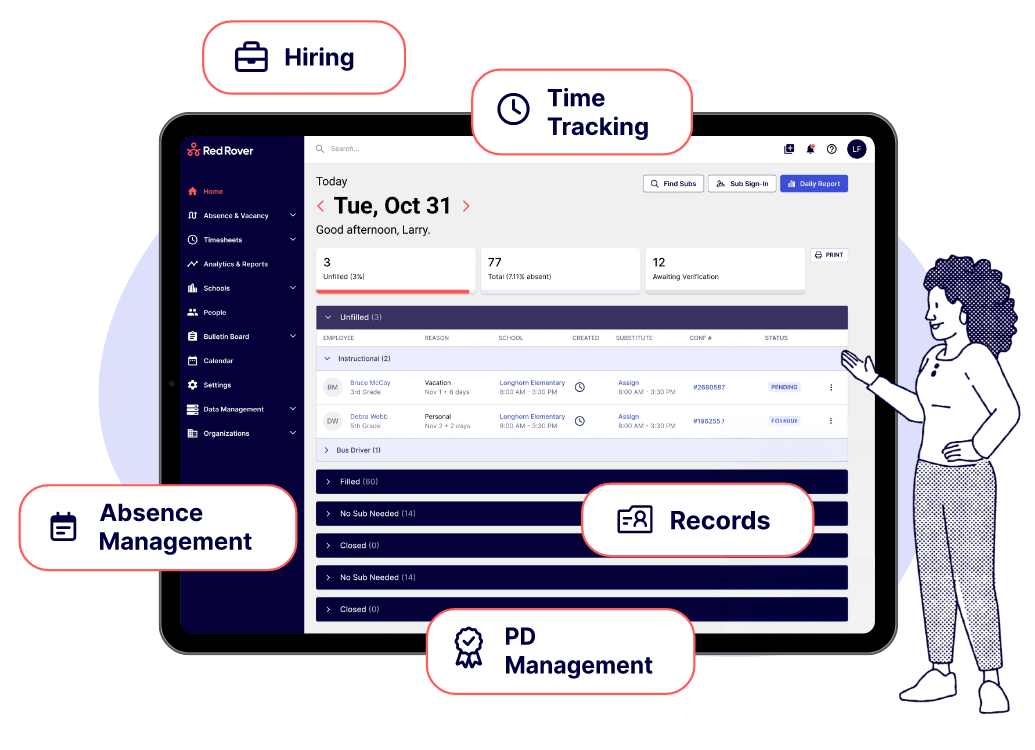
Red Rover brings the work of K-12 HR together on one platform, from absences and time tracking to hiring, professional development, and employee records. Five purpose-built products, one connected system

Hero Why RR
Make Hiring- Absence Icon

Absence Management

Manage leave and keep every classroom covered.

Time Tracking Product

Time Tracking

Capture time accurately across every role, schedule, and pay rule.

Hiring Product Icon

Hiring & Onboarding

Move candidates from application through onboarding in one place.

Records Product Icon

Records

Keep every employee’s information in one record, connected to every product.

PD Management

PD Management

Plan and track PD, from approvals to credit toward renewal.

Built as One Platform from the Start

One_System

One System

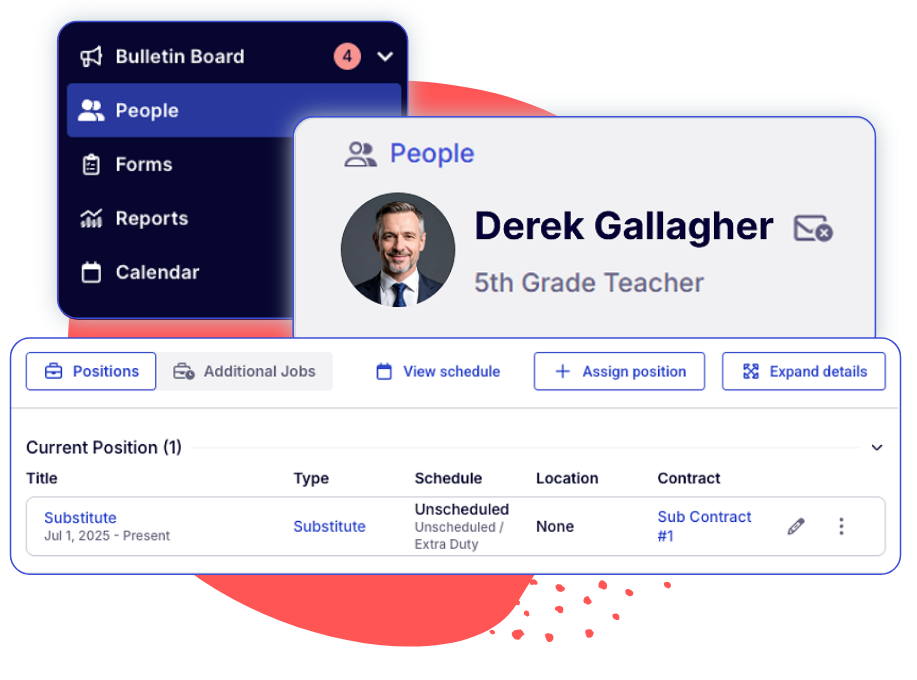
Positions, locations, and employee information are set up once and shared across every Red Rover product, so each one starts from what your district has already built.

One Employee Story

One Employee Story

An employee’s information follows them from application and onboarding into absences, time, professional learning, and credentials, so their record builds over time instead of starting over at each step.

One Connected Workflow

One Connected Workflow

What happens in one product can set the next step in motion in another, like an absence that creates a substitute assignment or a PD enrollment that creates an absence.

Because HR Doesn’t Happen in Modules

An absence is never just an absence. It can touch substitute coverage, time and payroll, professional learning, and district reporting. A new hire’s information matters long after their first day, too. K-12 HR work moves between people and departments all the time, and Red Rover is built for those connections, so the work keeps moving from one step to the next.

From Absence to

Absence Management + Time Tracking

From Absence to Hours Worked.

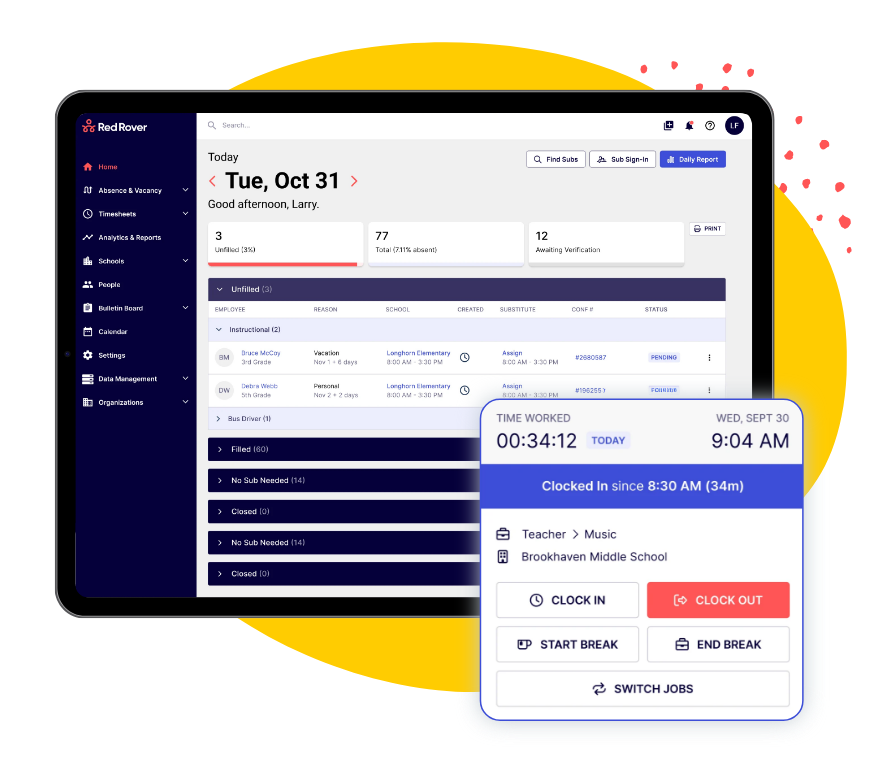
A teacher reports an absence and a substitute accepts the assignment. When the substitute clocks in, their time stays tied to the absence and assignment that created it, and the teacher’s timesheet already reflects the day away. That means less reconciliation before payroll.

Absence Reported → Substitute Assigned → Time Captured → Approved → Ready for Payroll

Hiring + Records

From Candidate to Employee. No Starting Over.

When a candidate accepts an offer, their application details, onboarding forms, and documents carry forward into their employee record, eliminating duplicate entry at the handoff. From there, the same record is ready for absence management, time tracking, and professional development.

Applicant → Offer → Onboarding → Employee Record → Ready for Every Product

From Candidate to
PD on the Calendar

PDM + Absence Management + Records

PD on the Calendar. Coverage in Place.

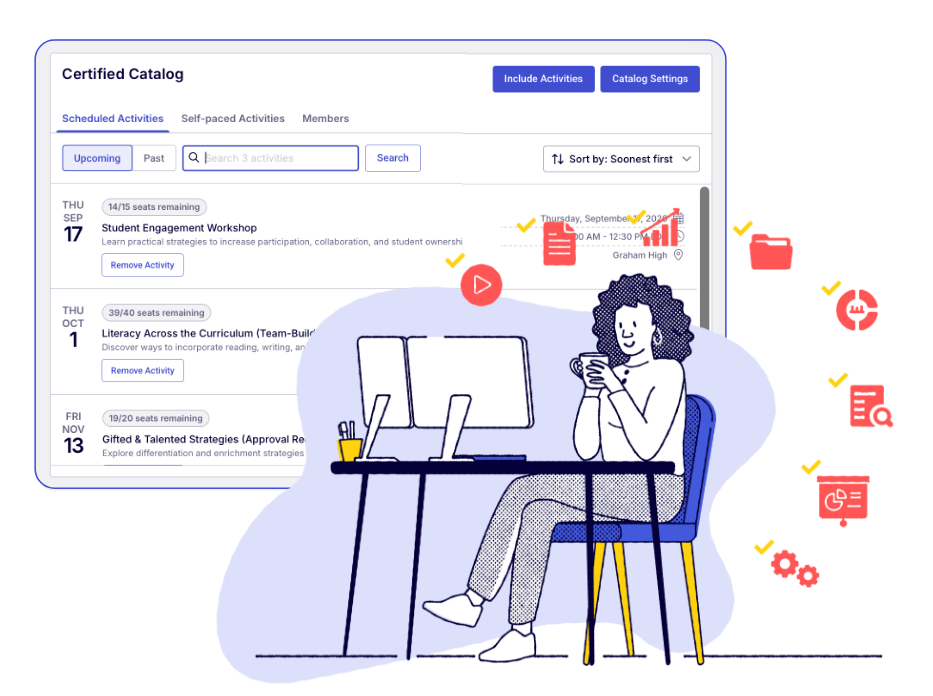
When an employee enrolls in PD during the school day, Red Rover can create the absence and, if your district requires it, open it for substitute coverage. Completed PD can count toward credential renewal and becomes part of the employee’s PD history on their record. Add Time Tracking, and PD hours land on the timesheet with the right accounting code.

PD Request → Approval → Absence + Coverage → Attendance + Completion → Credit Toward Credentials

What a Connected Platform Means for Your District

What a Connected Icon 1

Enter Information Once.

Information entered in one product carries forward to the others, so your team spends less time retyping what the district already knows and more time on the people behind it.

What a Connected Icon 2

Keep Work Moving Between Teams.

HR, payroll, principals, and supervisors work from the same information inside one platform, with fewer exports, spreadsheets, and follow-up emails along the way.

What a Connected Icon 3

See the Whole Picture.

View an employee's absences, time, PD, and records together, and give district leaders reporting that draws on every product your district uses.

What a Connected Icon 4

Give Everyone One Consistent Experience.

Employees, substitutes, principals, and HR teams get a familiar experience across the work they do, whether that's reporting an absence, submitting time, or signing up for PD.

Yes, that makes HR easier.

One Platform, Connected to the Systems Around It

No single platform runs every part of a school district, and Red Rover doesn’t pretend to. It’s designed to work with the payroll and ERP, single sign-on, job board, and background and employment verification systems your district already depends on.

WHY DISTRICTS CHOOSE RED ROVER

The Partner Behind the Platform

The Partner Checks

Built for K-12

Every workflow, field, and rule exists because of real district work, from bell schedules and extra duty to substitute coverage and credential renewal.

The Partner Checks

Built With Customers

District feedback shapes where Red Rover goes next. Improvements ship every week, and early-access programs let districts test new features before they reach everyone.

The Partner Checks

Built to Keep Getting Better

Five products today aren’t the finish line. Every new Red Rover product is built on the same platform, so it’s designed to connect with the rest from day one.

The Partner Checks

Backed by People Who Show Up

Modern software shouldn’t mean distant service. Red Rover pairs the platform with an in-house K-12 implementation team and real people on live chat when you need help.

K-12 Is Moving to Red Rover

More than 1,700 school districts across the country rely on Red Rover.

By using Red Rover Records, we’ve eliminated paper forms, Google Forms, and JotForms by centralizing everything into one streamlined system.

Eric Ulas Manager, Human Resources Administration Columbus City Schools

See What K-12 HR Looks Like When Everything Works Together

Red Rover is the platform K-12 HR runs on. It’s also built to work with everything else you run. Your ERP, your payroll, the systems that keep the lights on. Red Rover connects to them, so information gets where it needs to go, without another workaround for your team.

Questions

Can our district start with one Red Rover product and add more later?

Records stores contact information (including emergency contacts), personal data, employment details, EEO fields, and any custom fields your district creates. You can also manage documents, certifications, and submitted forms directly on each employee’s record.

Do Red Rover products share employee information?

Records stores contact information (including emergency contacts), personal data, employment details, EEO fields, and any custom fields your district creates. You can also manage documents, certifications, and submitted forms directly on each employee’s record.

Does Red Rover work with our payroll or ERP system?

Records stores contact information (including emergency contacts), personal data, employment details, EEO fields, and any custom fields your district creates. You can also manage documents, certifications, and submitted forms directly on each employee’s record.