













The filing cabinet had a good run.
Join thousands of school districts already using Red Rover.
Products
The Platform
Hiring, absence, time, growth, and records, connected and built for K-12.
About
Our Promise
We build alongside districts to put the best educators in every classroom, every day.
Resources
SUBSTITUTE WORKFORCE SURVEY
Explore the trends shaping how districts recruit and retain substitute teachers.
K-12 Employee Records Software
Employee data should be easy to find and easy to trust. Red Rover Records keeps the information your district relies on organized, secure, and ready when you need it.
Recent Updates
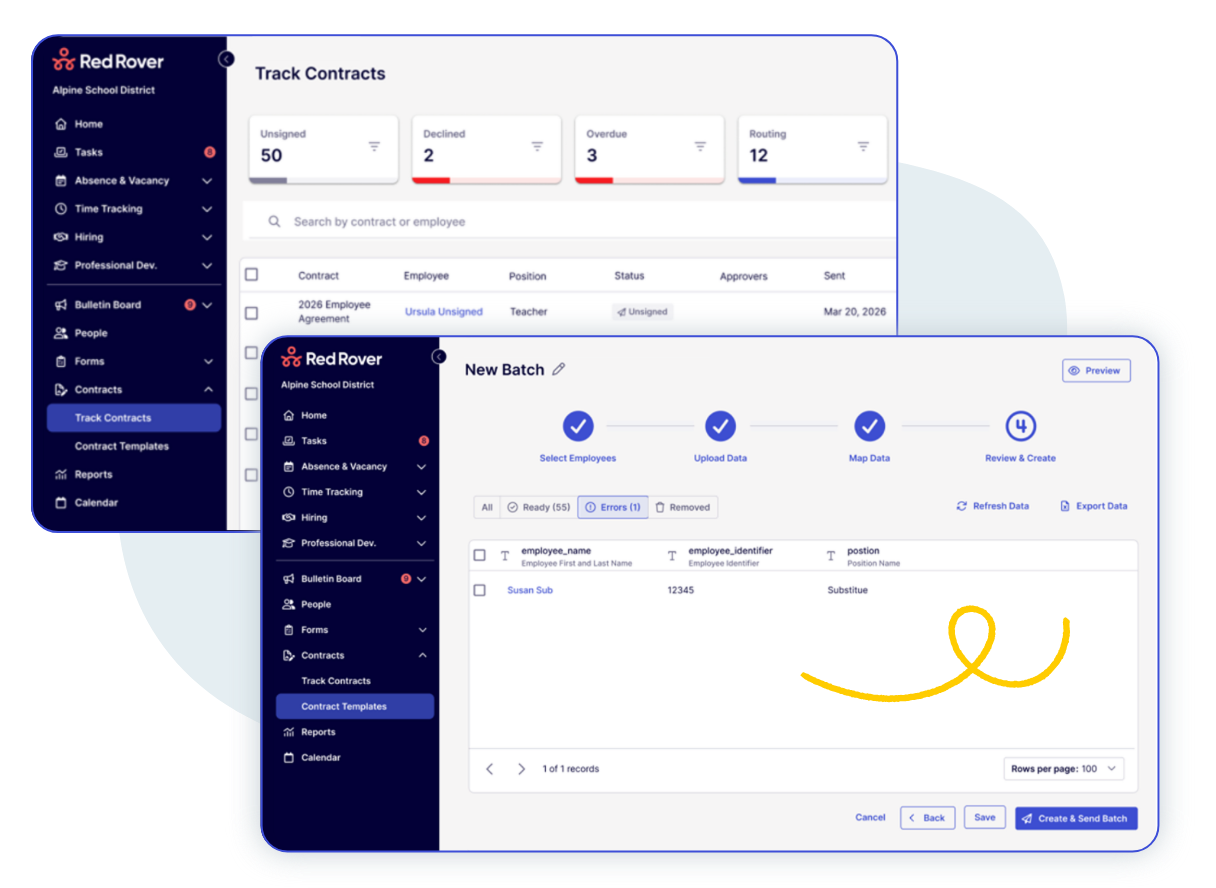
Build contract templates with mail-merge fields, send them in bulk for e-signature, and track each contracts status. Signed contracts route for approval and save to the employee record.
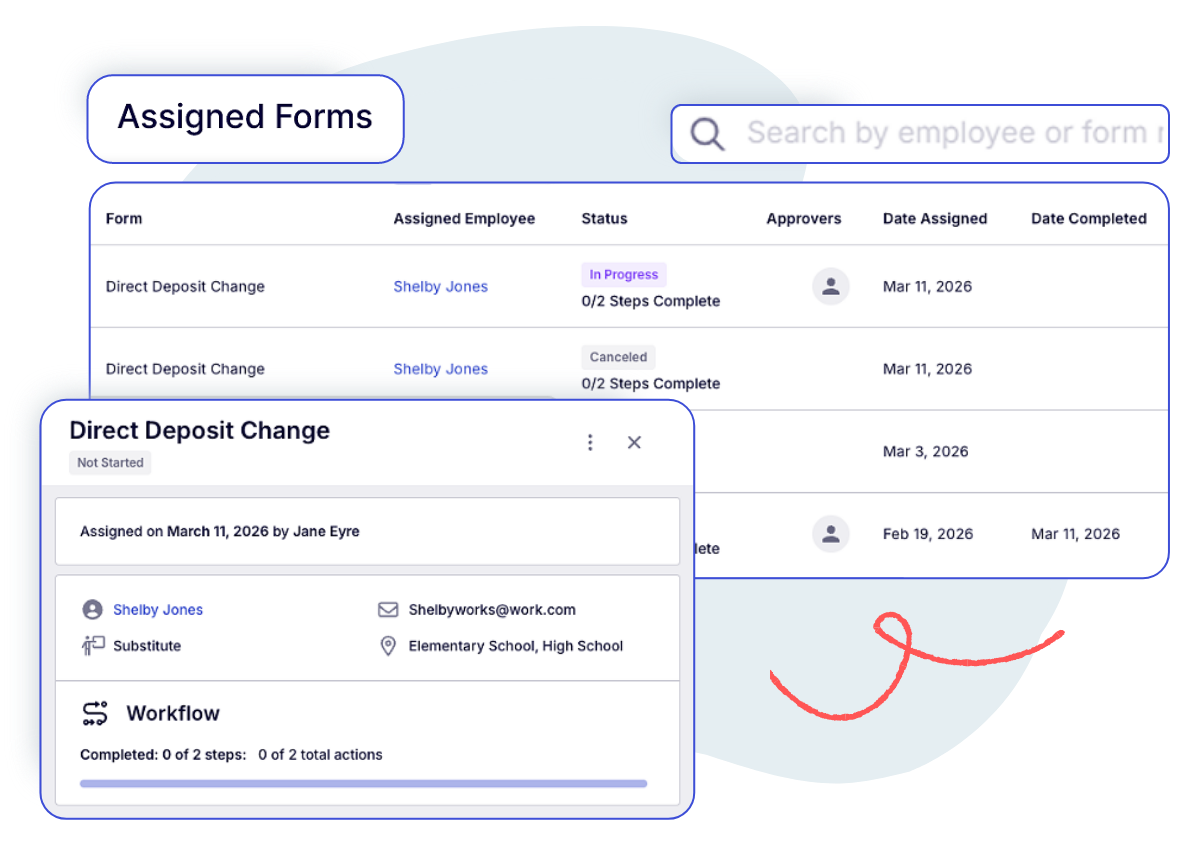
A single custom form can now route to several participants through the Fill Form workflow action, each with their own due date.
Workflow approvers can add comments when they approve or deny, and those comments stay in the form’s workflow history.
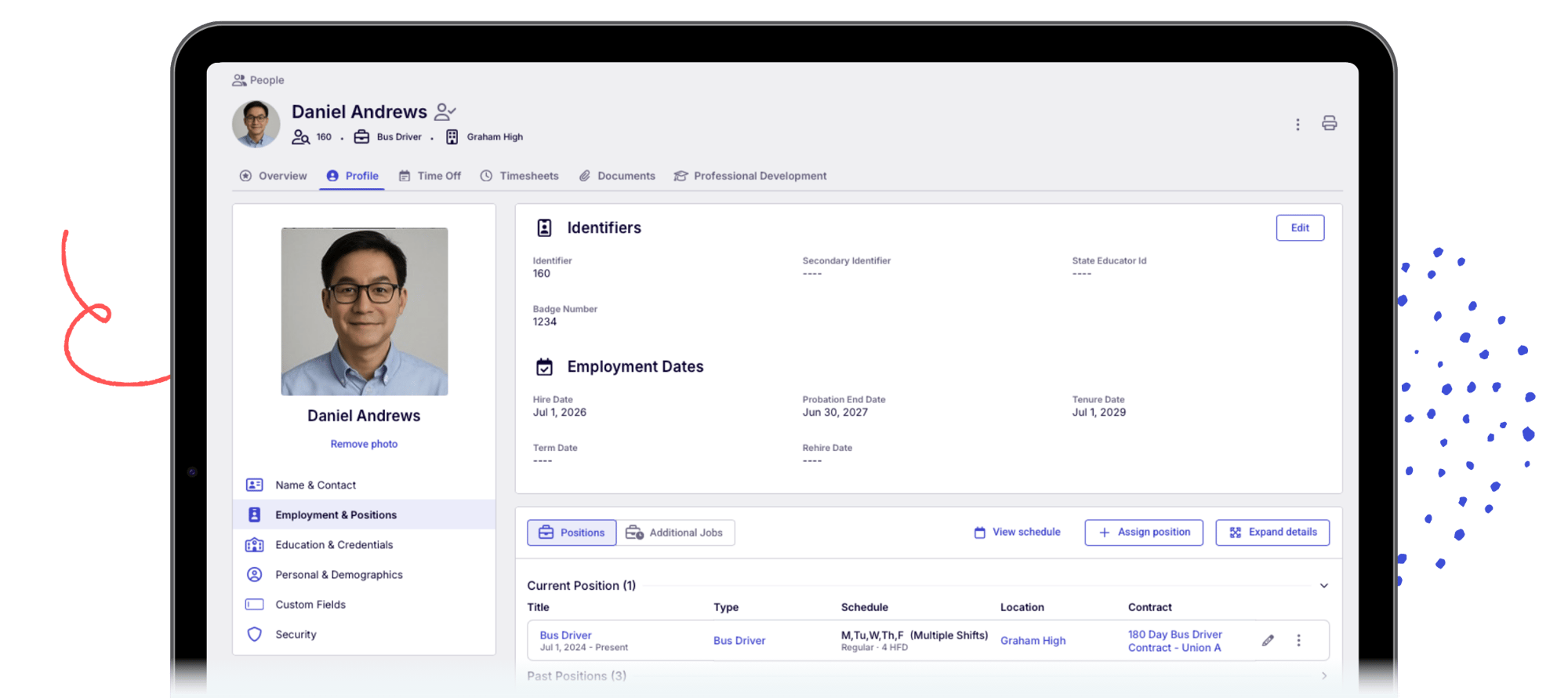
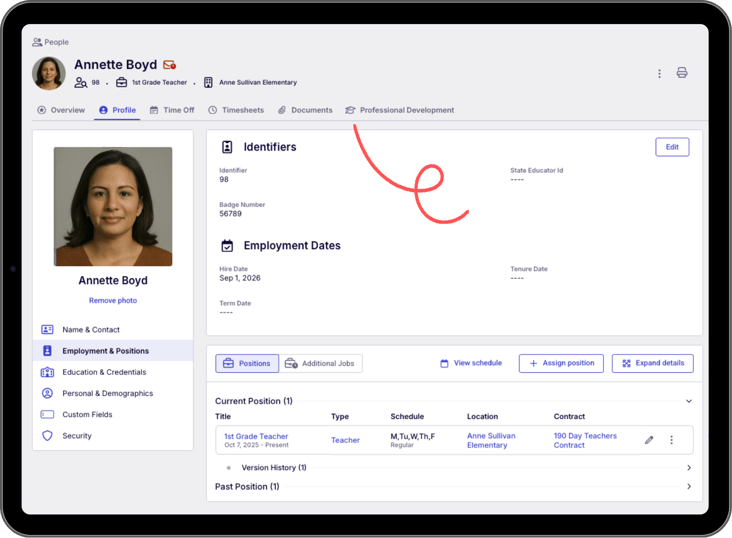
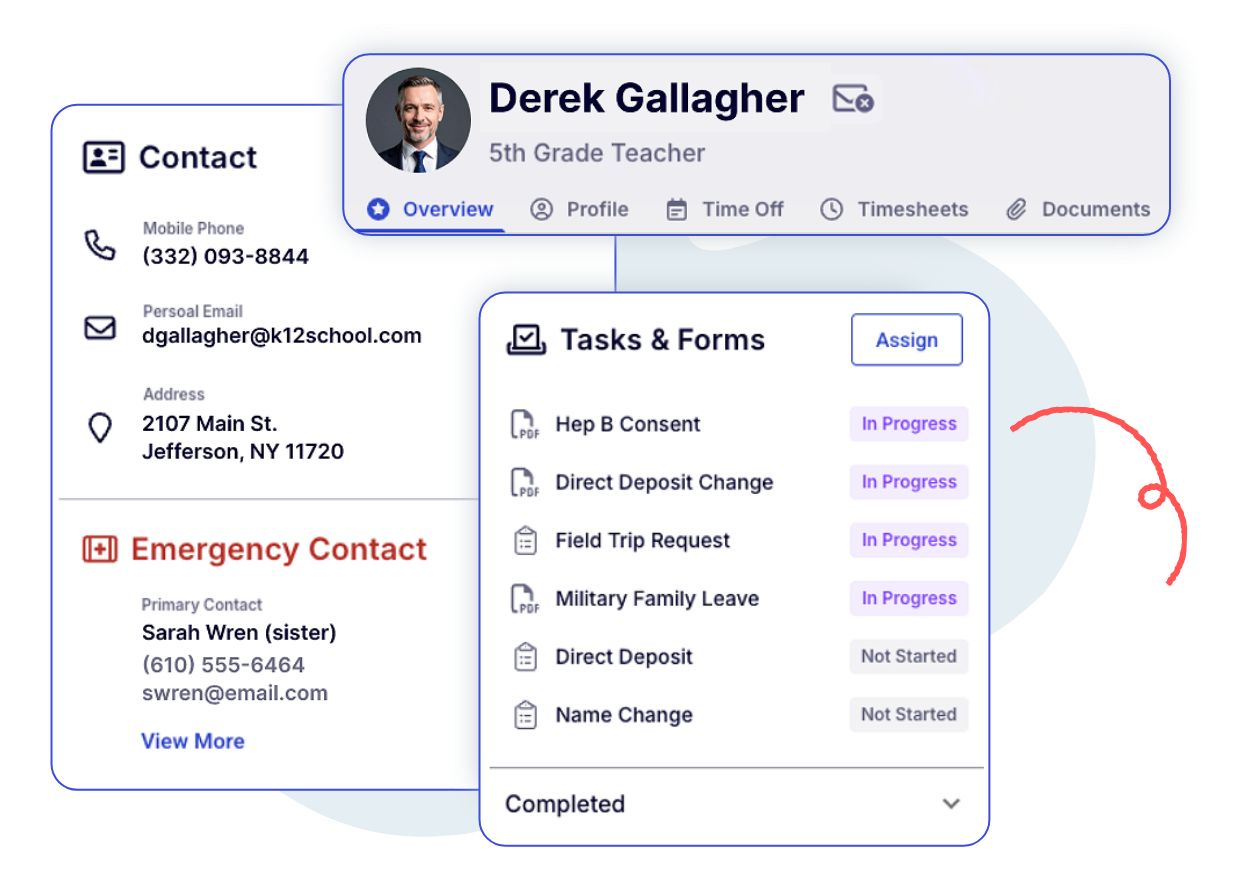
Contact details, employment data, documents, and custom fields live in one secure record for every person in your district.
Build custom forms and contract templates, route them for signature and approval, and let employees start what they need on their own.
Track credentials and renewal dates, control who sees sensitive data, and keep employee records retained and audit-ready.
Employee Records
Contracts
Forms & Workflows
Documents
Positions
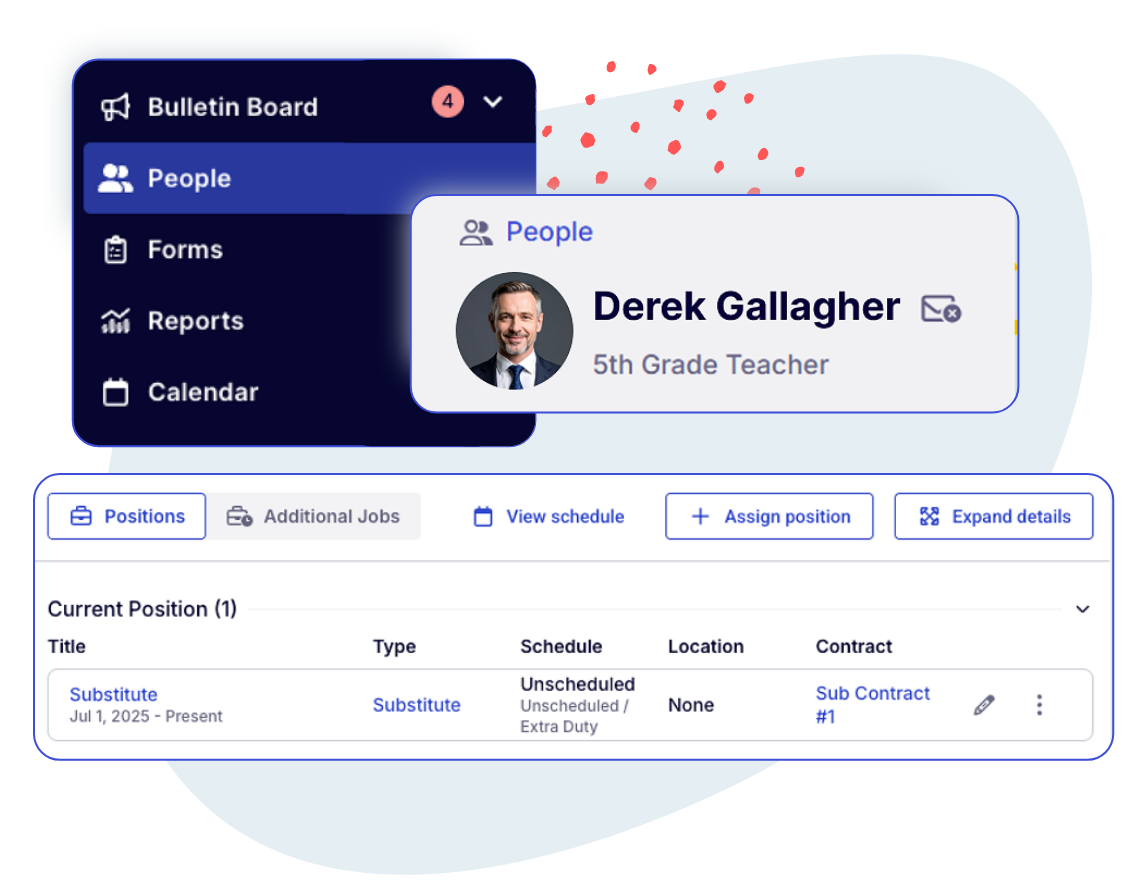
Every person in your district lives in a single employee record. Contact details, employment dates, emergency contacts, demographic data, and custom fields stay in one place, without a second system to check.
Build a contract template once and let employee details populate automatically. Employees sign from their task list, contracts route for approval, and HR can see who has signed, declined, or still needs a reminder.
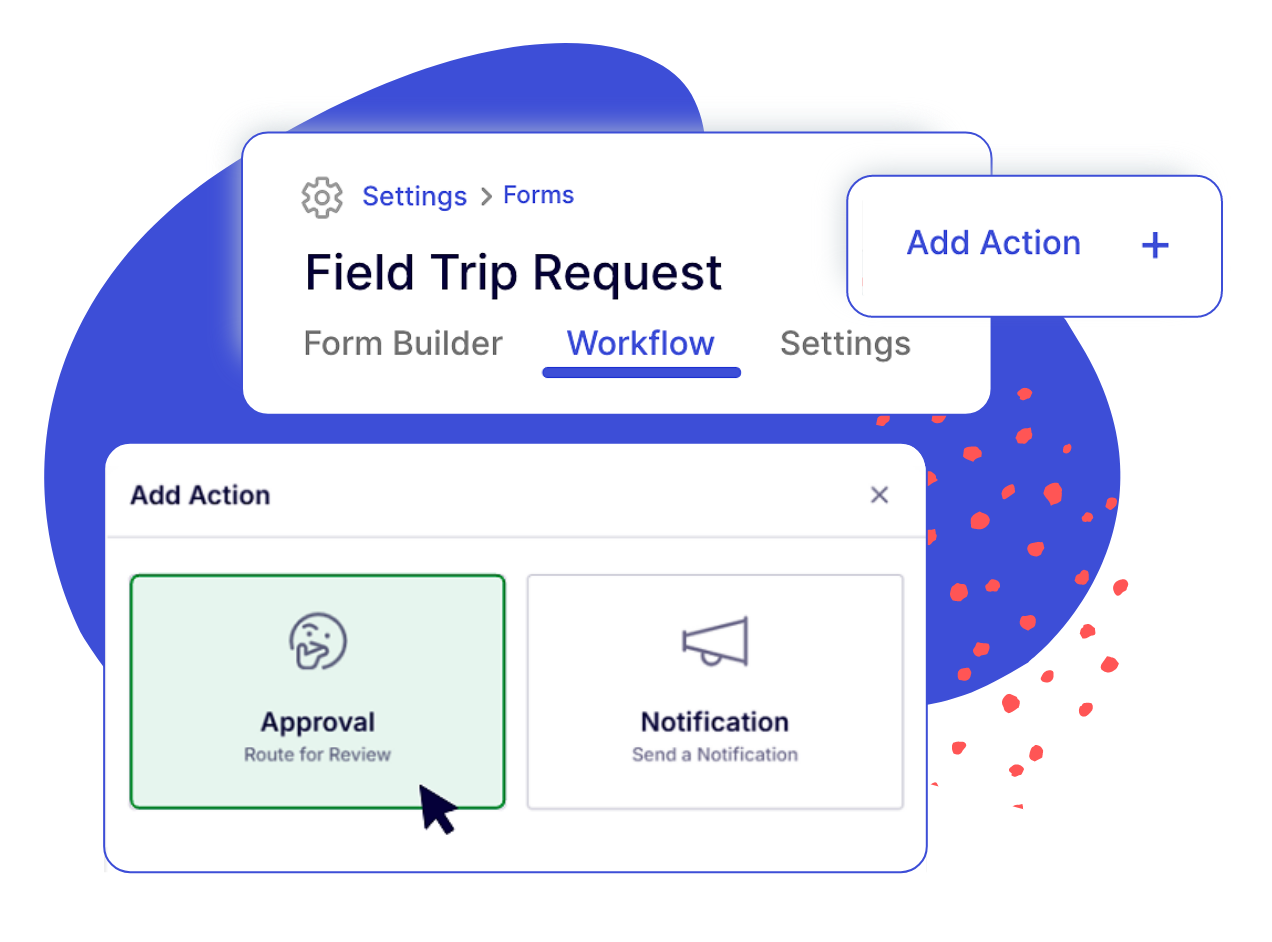
Build custom forms and attach multi-step approval workflows that route on their own. Send one form to several participants with their own due dates, and let employees start the forms they need without waiting on HR.
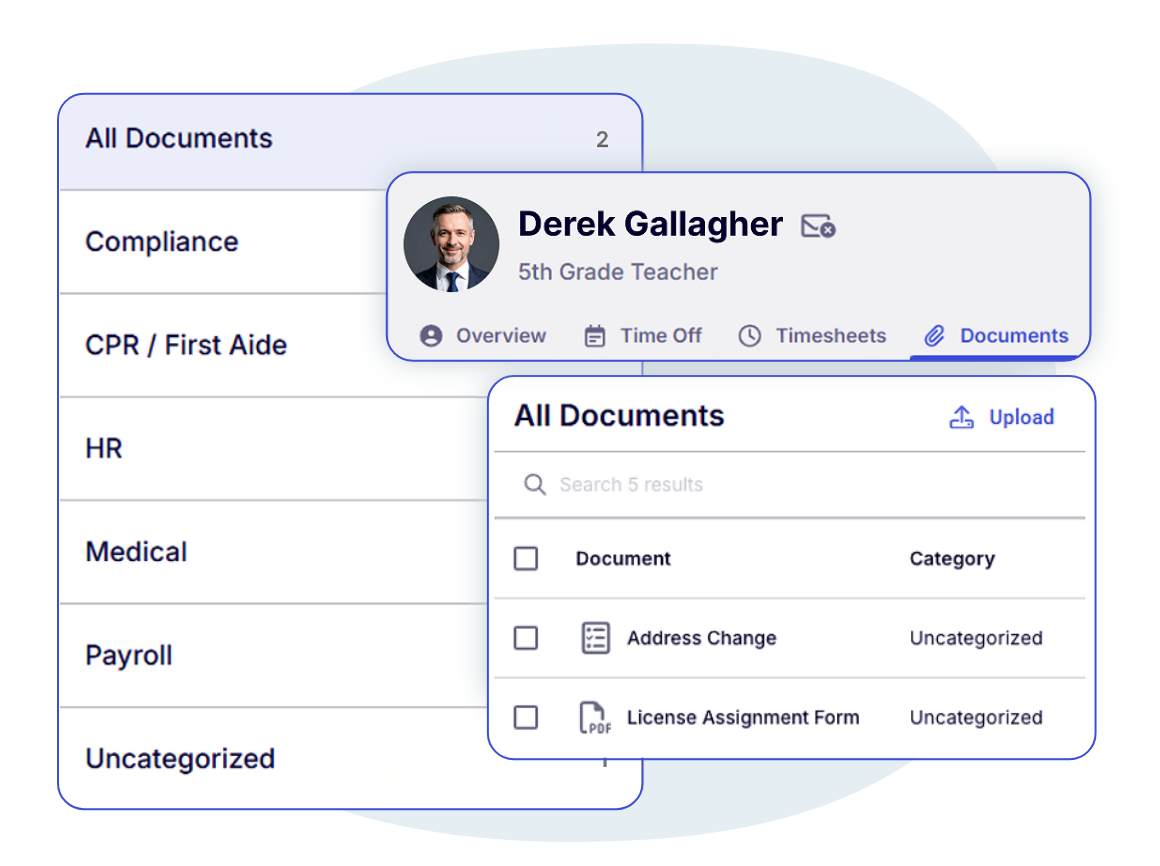
Upload and organize employee documents right on the record, and let submitted forms and signed contracts file themselves into the right category. Visibility is set by document category, so each administrator sees only what their role allows.
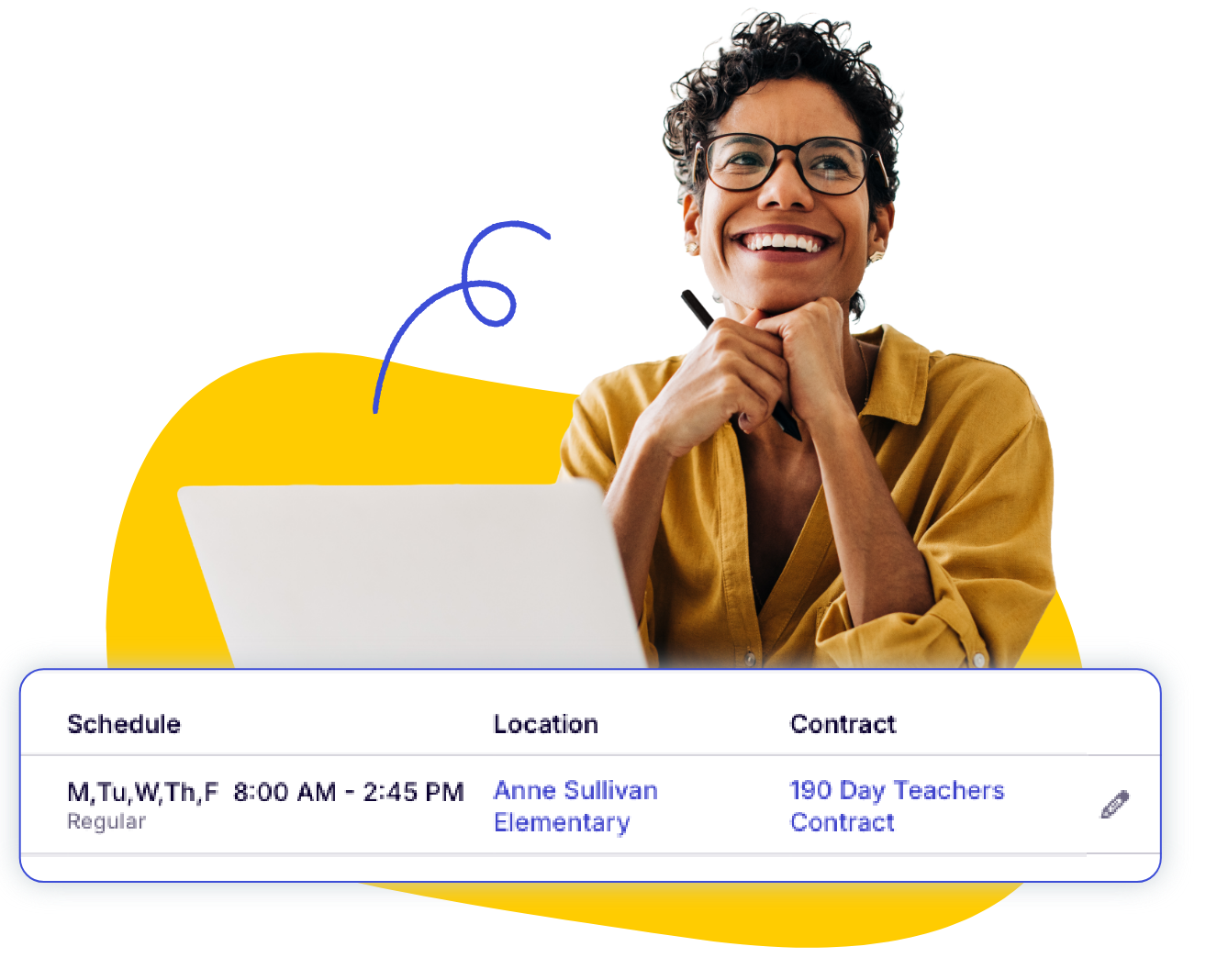
See every position an employee holds right from their record, including assignments and schedules. Make changes ahead of time or retroactively, so position data stays current across every Red Rover product.
Every district tracks something the standard fields don’t cover. Add custom fields to employee records, positions, and job postings, then pull them into reports or import them in bulk.

Licenses, certifications, and endorsements have to stay current for your district to stay compliant. Track renewal dates in Records and see what’s coming due while there’s still time to act.

A form that needs three approvals gets three steps. Route to several participants with their own due dates, notify each one, and keep approver comments in the form’s workflow history.

Routine requests don’t have to start with HR. Employees open the forms they need on their own, and each one routes through the same approval path every time.

Years of employee files don’t have to move over one at a time. Import historical and legacy documents in bulk, so what your district already has on file comes with it.
Employee records, documents, and signed forms stay accessible in Red Rover, so your district can answer an audit or records request years later.
Red Rover Records reflects the way school districts actually manage their people, from positions and credentials to contracts, approvals, and employee documents. The information HR needs stays organized around the way K-12 works.
Contract season runs on a deadline, and every signature has to land before it. Red Rover keeps the whole cycle in one place. Templates populate from the employee record, employees sign electronically, approvals happen after signature, and the signed contract lands on the employee record without anyone filing it. Contracts stay with HR, start to finish.
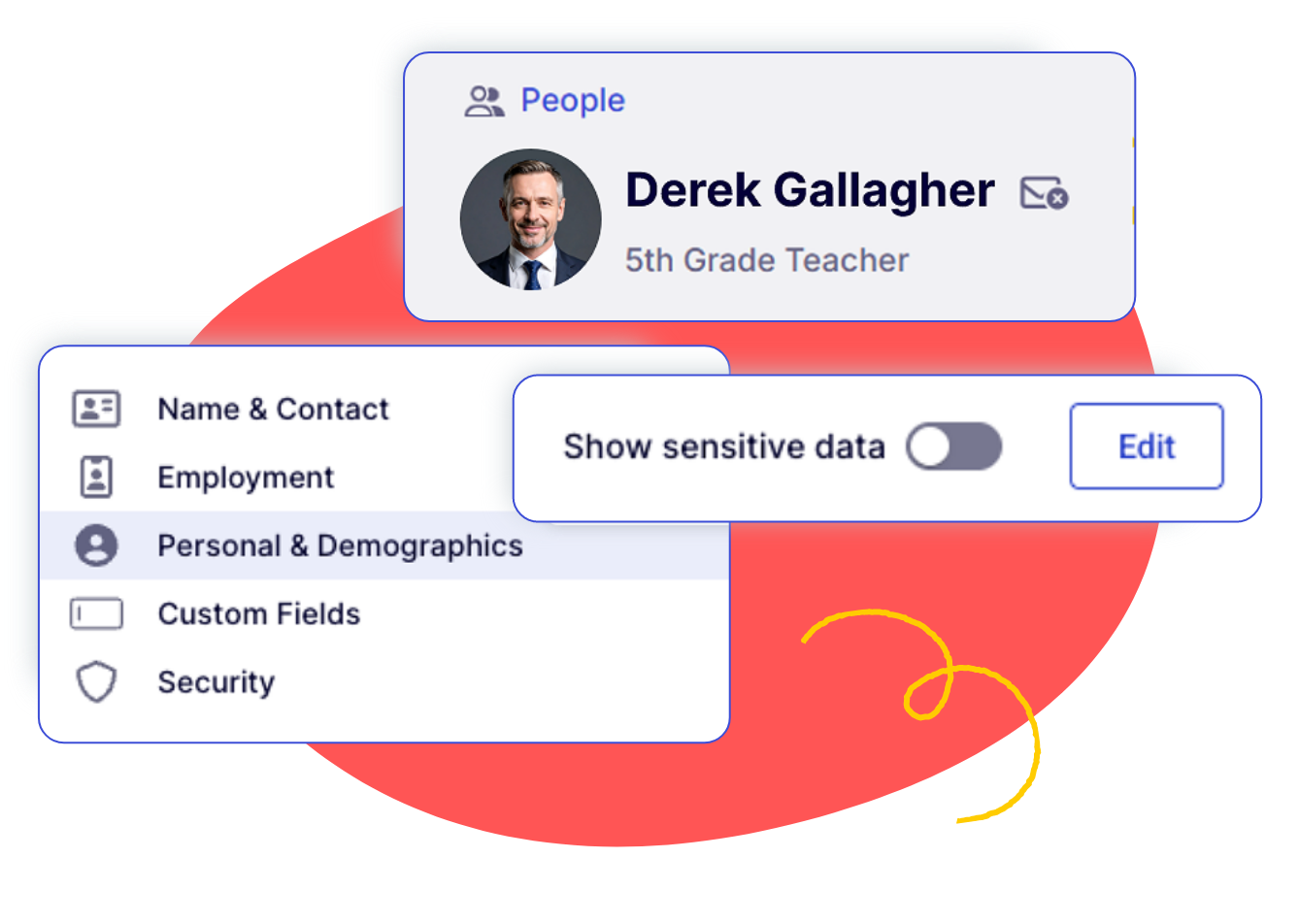
Control who can view and edit personal data, and toggle sensitive fields like Social Security numbers and dates of birth on or off as needed. Document permissions are managed by category, so your evaluations stay separate from your payroll files.
By using Red Rover Records, we’ve eliminated paper forms, Google Forms, and JotForms by centralizing everything into one streamlined system. Even processes like Type III vehicle DOT health cards are now fully digital, saving us a significant amount of time and creating greater efficiency for district team members.

Craig Waldvogel
Director of Operations
Albany Area Schools - ISD 745
From Candidate to Employee. no starting over.
Pair Records with Hiring and the information you collect along the way carries forward with the employee. Application details, onboarding forms, and documents become part of their record, reducing duplicate entry and giving HR less to rebuild after the hire.
One handoff. No re-entry. Nothing left behind.
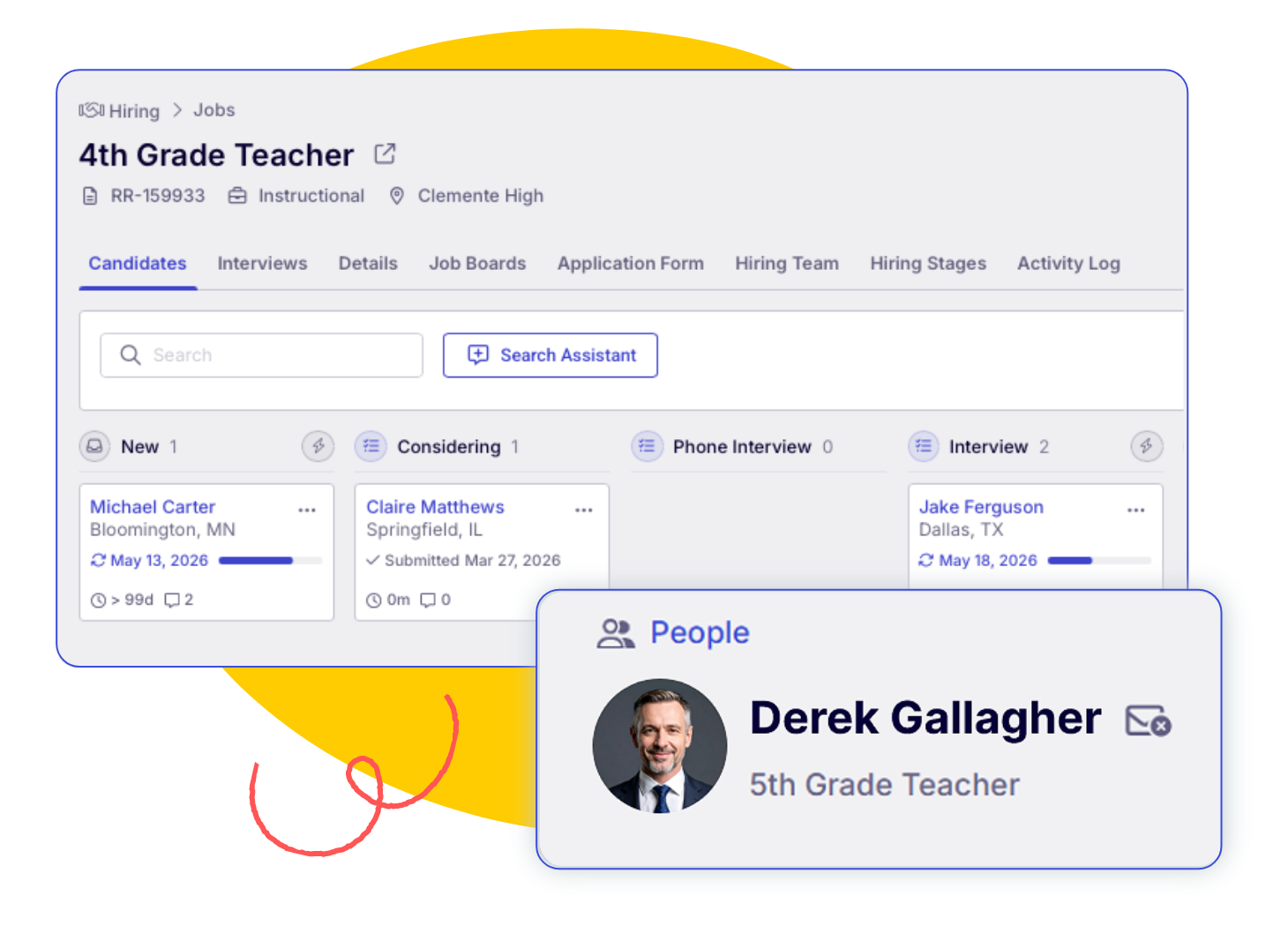
Employee information shouldn’t have to be recreated every time it moves to another workflow. Records keeps that information in one place, so the Red Rover products your district uses can work from the same employee data.
New-hire information, onboarding checklists, and forms carry straight into Records, with no duplicate entry for HR.
Licenses, certifications, and endorsements stay current in both places, keeping compliance data in step.
Positions and employee data flow straight into absence and substitute workflows, with no separate setup.
The same position and schedule data drives time entry, so payroll works from the record HR already maintains.

Can we send and sign employment contracts in Red Rover?
Yes. Districts build contract templates with mail-merge fields that pull from the employee record, send them out for electronic signature, and track each contract by status. Signed contracts route through approval workflows, and the signed copy files automatically to the employee’s record. Contracts is part of Records.
What types of employee information can I store in Red Rover Records?
Records stores contact information (including emergency contacts), personal data, employment details, EEO fields, and any custom fields your district creates. You can also manage documents, certifications, and submitted forms directly on each employee’s record.
Can we create our own forms and approval processes?
Yes. The form builder lets you create custom forms with a variety of field types, from text and dropdowns to file uploads and digital signatures. You can attach multi-step workflows with notification and approval actions, and even designate forms as self-service so employees can start them on their own.
Does Records work with other Red Rover products?
Yes. Every Red Rover product shares the same employee record, so Hiring, PD Management, Absence Management, and Time Tracking all draw from the same employee information. One platform, one source of truth.
How does Red Rover handle sensitive employee data?
Administrators with the right permissions can view or edit personal data like Social Security numbers, dates of birth, and EEO information. Sensitive fields can be shown or hidden on the record, and users without personal data permissions won’t see those fields at all, including in reports.
How do documents work in Records?
Each employee record has a documents tab where you can upload and manage files. Documents are organized by category (certifications, contracts, evaluations, medical, payroll, and more), and districts can create their own custom categories to match how they organize records. When employees submit forms, those submissions automatically route to the correct document category.
Can we add custom fields to employee records?
Yes. With Records, you can create custom fields for employee records, positions, and job postings. Custom fields are available for reporting and importing, giving your district the flexibility to track the data that matters most to you. Custom fields are a Records feature and require the Records product.
Join thousands of school districts already using Red Rover.